Chrome Extension Magic: Scan Any LinkedIn/Indeed Job in One Click
July 20, 2026 · 4 min read · Past the Bots
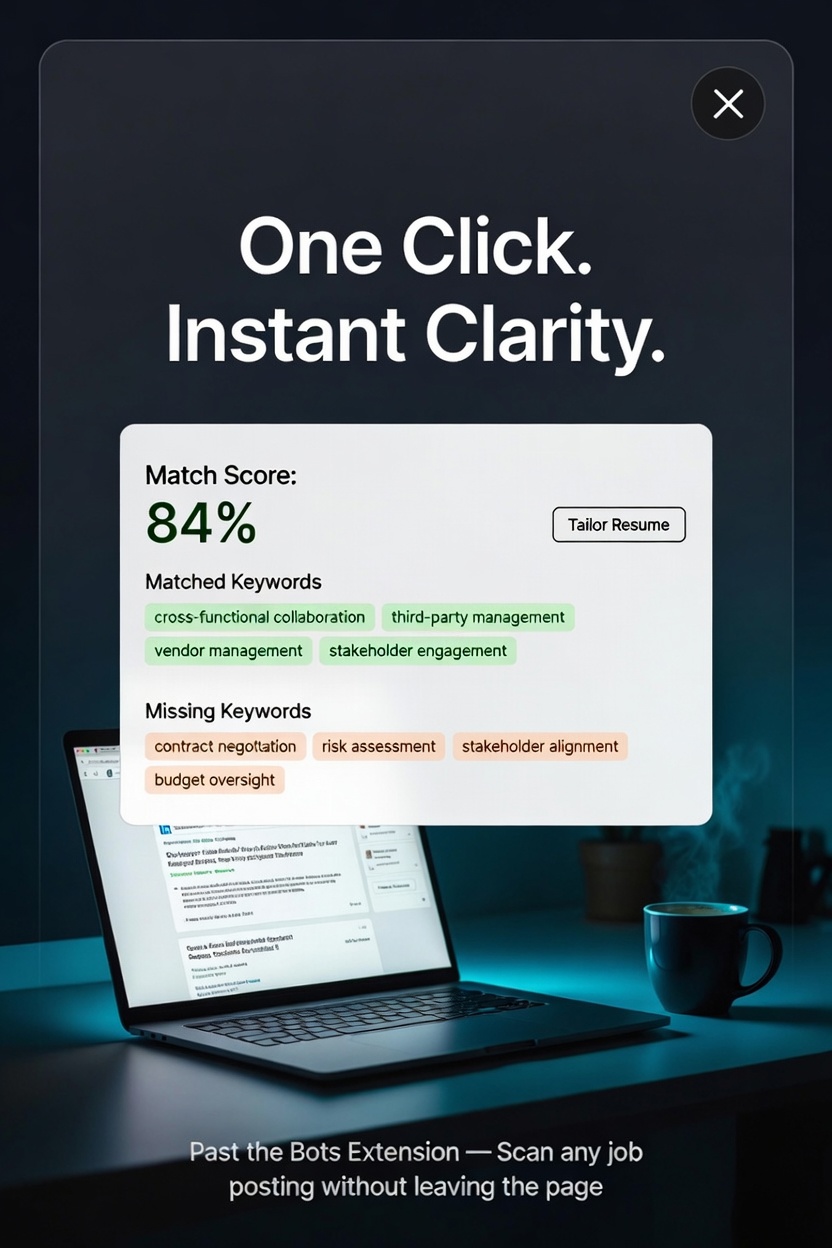 You're scrolling LinkedIn at 11pm, coffee going cold, and you spot a role that actually looks right. The old workflow: copy the whole job description, open a new tab, paste it somewhere, upload your resume, wait. By the time you've done that three times, the momentum is gone.
A browser extension collapses that whole process into a single click. Here's what that actually looks like in practice, and why it changes how you approach the job hunt.
What the Extension Actually Does
When you're on a job posting, whether on LinkedIn, Indeed, Glassdoor, or a company careers page, the Past the Bots extension reads the job description right there in your browser. No copying, no tab-switching, no pasting. It pulls the text and sends it straight to your resume analysis so you get a match score and keyword breakdown while you're still looking at the job.
That immediacy matters more than it sounds.
Use Case 1: The Quick Gut-Check
Before you spend 45 minutes tailoring your resume, you want to know if it's even worth it. The extension gives you a skill-weighted match score on the spot so you can make that call fast.
A score in the 70s or 80s? Green light, start tailoring. A score in the 40s with several knockout gaps (required skills you don't have at all)? You can move on without guilt instead of sinking time into a long-shot application.
This alone saves most job seekers a significant amount of wasted effort every week.
Use Case 2: Spotting the Keywords You're Missing
ATS systems don't read your resume the way a human does. They scan for specific terms, and if your resume says "managed vendor relationships" but the job description says "third-party contract management," a bot may not connect those two things.
With the extension open on the job page, you can see exactly which matched keywords are already in your resume and which missing keywords are leaving points on the table. A lot of times the fix is simple: you have the experience, you just used different language.
For example, if the posting repeatedly mentions "cross-functional collaboration" and your resume says "worked with other departments," that's an easy swap that can meaningfully move your score.
Use Case 3: Building a Shortlist While You Browse
Most job seekers open fifteen tabs and then feel overwhelmed. The extension helps you triage in real time.
As you scroll through your feed, you can scan each posting and mentally (or literally) sort them:
- Strong match -- apply this week, tailor carefully
- Decent match with fixable gaps -- worth a targeted rewrite
- Poor match -- skip or save for later when your skills grow
Instead of applying to everything and hoping, you're making strategic decisions based on actual data.
Use Case 4: Tailoring on a Deadline
You see a job posted two days ago. You know it won't stay open long. You need to move fast but you also don't want to send a generic resume.
The extension workflow here is: scan the job, see the missing keywords, open your resume in the live editor, and drop in the matched language where it fits honestly. Past the Bots' AI tailoring can rewrite bullets to reflect the job's language without making anything up, which means you're not fabricating experience, just making sure what you actually did is described in terms the ATS recognizes.
You can go from "spotted job" to "tailored resume ready" in under 20 minutes.
Use Case 5: Recruiter Research (Yes, Recruiters Use This Too)
If you're a recruiter or career coach, the extension works the other direction. Pull up a job posting your client is targeting, run it against their resume, and instantly see the gap analysis. It makes resume coaching sessions much more concrete because you're working from real job data instead of general advice.
A Few Tips to Get the Most Out of It
- Scan before you apply, not after. It sounds obvious but most people upload first and wonder why they're not hearing back.
- Check the knockout gaps first. Missing a "nice to have" skill is fine. Missing a listed requirement repeatedly is a signal to either address it in your cover letter or reconsider.
- Use it across different job boards. The extension works wherever you're browsing, so your workflow stays consistent whether you're on LinkedIn, Indeed, or a niche industry board.
The best job search tools are the ones that reduce friction at exactly the moment you need them. Scanning a job description while you're actually reading it, rather than two tabs later, keeps you in the flow and makes better decisions easier.
Give the extension a try on your next browsing session and see how quickly the shortlist gets cleaner.