Chrome Extension Workflow: Audit → Tailor → Apply in Minutes
September 9, 2026 · 4 min read · Past the Bots
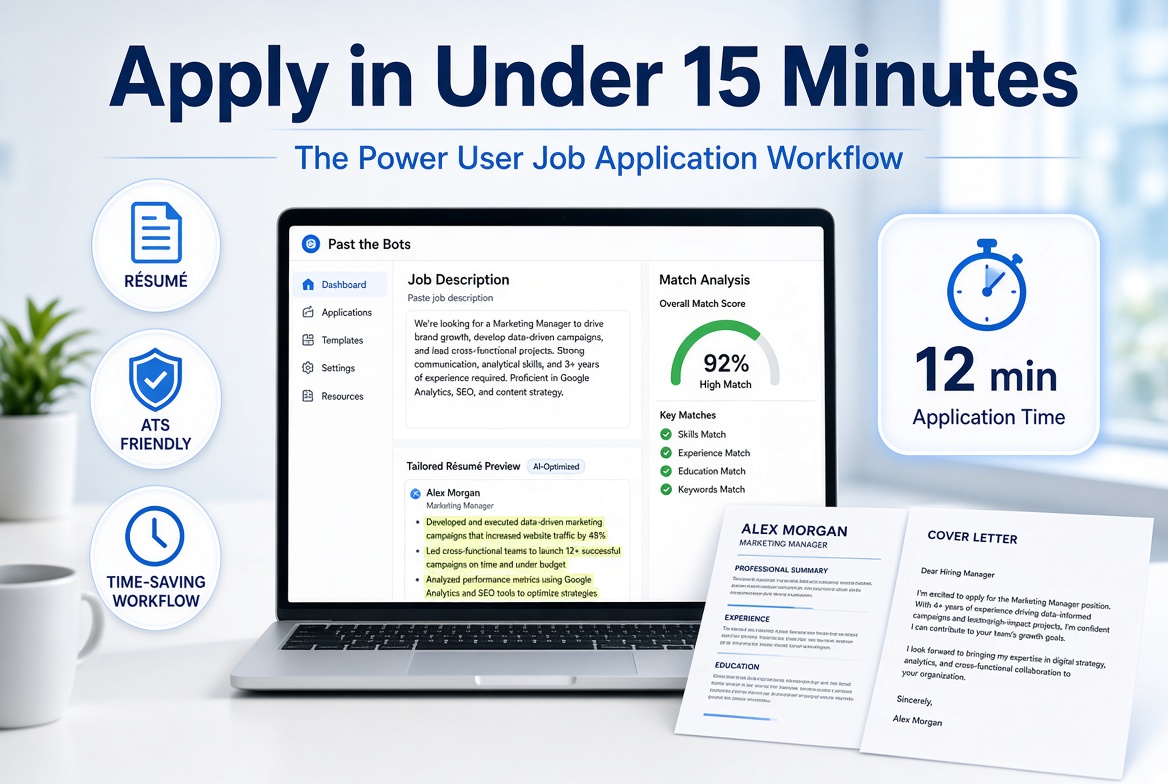 If you're applying to more than a handful of jobs a week, you already know the grind: find a posting, tweak your résumé, second-guess your bullet points, paste everything into a cover letter, and repeat. It eats hours you don't have.
The good news is that with the right setup, you can compress that whole cycle down to under 15 minutes per application without cutting corners on quality. Here's the workflow a lot of power users have landed on.
Step 1: Spot the Job, Grab the Description Instantly
The workflow starts the moment you see a promising posting. Instead of copying the job description into a separate doc or tab-hopping back and forth, keep a browser tab with Past the Bots open alongside your job board of choice. When something looks interesting, paste the full job description directly into the match tool.
Why the full description matters: ATS systems score résumés against the entire posting, not just the headline skills. Responsibilities, qualifications, and even the "about us" section can contain weighted keywords. Paste all of it.
Step 2: Run the Audit Before You Touch Anything
Before you start editing, run your résumé through the ATS audit. This is the step most people skip, and it costs them.
The audit shows you exactly what a parser actually extracts from your file: your name, contact details, skills, and section headers. Things that look fine on screen often break completely inside a parser. A two-column layout, a text box, a table for your skills section, a header or footer with your contact info -- these are invisible to most ATS software.
Look for anything flagged as critical first. A résumé the bot can't read is a résumé no human ever sees. Fix those before anything else.
Warnings are next. These are things like unusual section names ("What I've Done" instead of "Experience") or missing keywords that matter for your target role. They won't necessarily kill your application, but they drag your score down.
Step 3: Check Your Match Score Against the Posting
Now look at your skill-weighted match score against the job description you pasted in Step 1. The score itself is useful, but what you really want to dig into are two things:
- Missing keywords that show up in the job description but not in your résumé
- Knockout gaps -- must-have qualifications you don't appear to have at all
Knockout gaps are worth a hard look. If the job requires a specific certification or tool you genuinely don't have, that's useful information before you spend 20 minutes tailoring. If the gap is something you actually do have but phrased differently, that's an easy fix.
For missing keywords you legitimately qualify for, note them. You'll work them in during the next step.
Step 4: Tailor Your Bullets (Without Making Things Up)
This is where a lot of people either over-edit (rewriting their entire résumé from scratch for every job) or under-edit (just swapping the job title in the summary and calling it done). Neither approach works well.
The goal is to surface the experience you actually have in language that matches what this specific employer is looking for. Use the AI tailoring feature to rewrite individual bullets to reflect the job's priorities. The key guardrail here: it rewrites based on what's already in your résumé. No fabricated experience, no invented metrics.
Focus your edits on:
- Your most recent two or three roles
- Your skills section (add the specific tool names or methodologies they mentioned)
- Your summary, if you have one -- one or two sentences that mirror their language
Don't touch bullets that already match well. You're not rewriting your whole résumé every time, just tuning the relevant parts.
Step 5: Export, Write the Cover Letter, and Send
Once your résumé is in good shape, export it as a clean ATS-safe .docx file. Single-column, standard fonts, no design elements that confuse parsers.
Then use the job description you already have open to generate a cover letter. The best cover letters reference specific things from the posting -- not generic enthusiasm, but actual details about the role or the team. A good generation tool uses the job description plus your résumé to do exactly that, so you're not starting from a blank page.
If you're reaching out to a recruiter directly, a short outreach message following the same principle (specific, not generic) dramatically improves response rates.
The Honest Time Estimate
First few times through: probably 20-25 minutes while you get comfortable with the process. Once it's muscle memory, most applications land in the 10-15 minute range for a role that's a strong fit.
The jobs that deserve more time will get more time. But the baseline applications, the ones where you're a solid candidate and just need to show up correctly, should not be eating your entire evening. Set the workflow up once and let it do the heavy lifting.